Turning your logo or watermark into a paint brush is quick and easy and most importantly will speed up your proofing! Just stamp it on your image, resize for web and you're done!
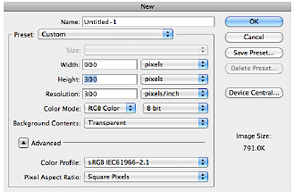
In Photoshop, go to File -> New... when the box pops up make sure your settings are as follows (You may need to adjust the height and width depending on the size of your logo). Be sure the Background Contents box is set to "Transparent".
A box will open. With your text tool, type in your desired text (the shortcut for the copyright sign is option+G on a Mac). Be sure that your font color is black or it won't work properly. You can change the color with your paintbrush later. Crop the area as needed.

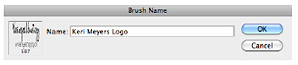
Next, go to Edit -> Define Brush Preset. This box will open allowing you to name your brush. Type in a name such as "KMP Logo" and click OK.
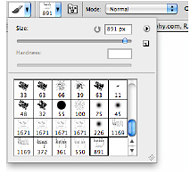
Your brush will be saved to your paintbrush palette. When you open your paintbrushes, your logo paintbrush will be at the bottom. You can select the brush, change the color and resize it just like a paintbrush and stamp it on your image.
Easy peasy!