In order to get your public profile up and running (and looking snazzy!) you should really take the time to re-size your images to the optimal viewing size suggested for your profile image, logo, and slideshow images.
This will allow us to display your images in their optimal state, and avoid the dreaded 'automatic resize' that us photographers cringe at.
If you aren't sure how to re-size, follow these steps! It's easy, and will help us make your profile look great!
1) Open Photoshop
2) Click File > Open
3) Select the image you would like to resize
4) Click Image > Image Size
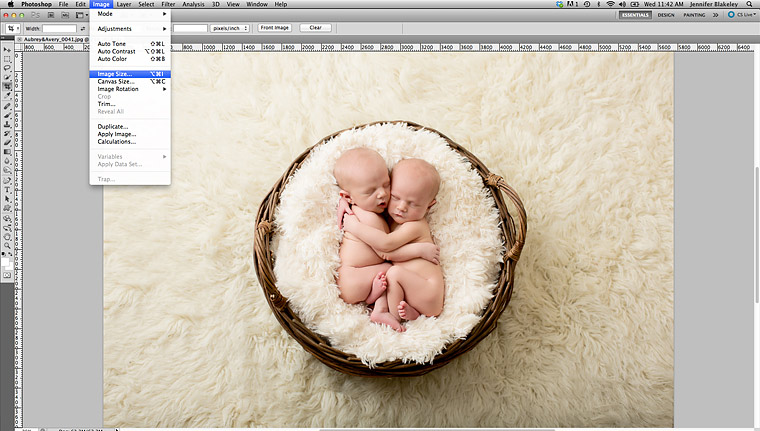
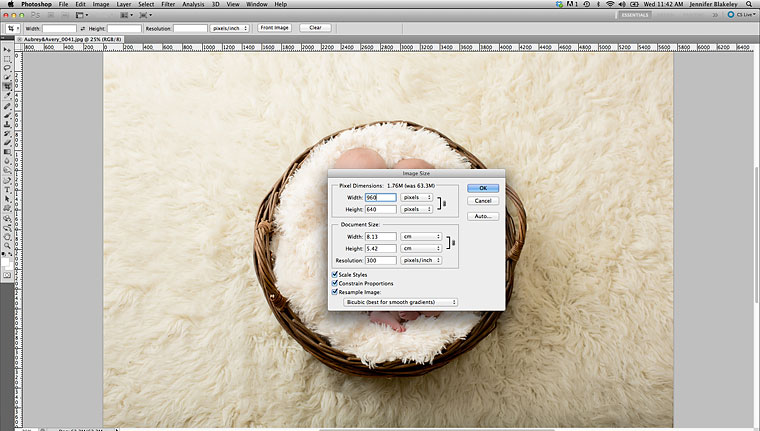
5) Choose Pixel size Width and Height > OK
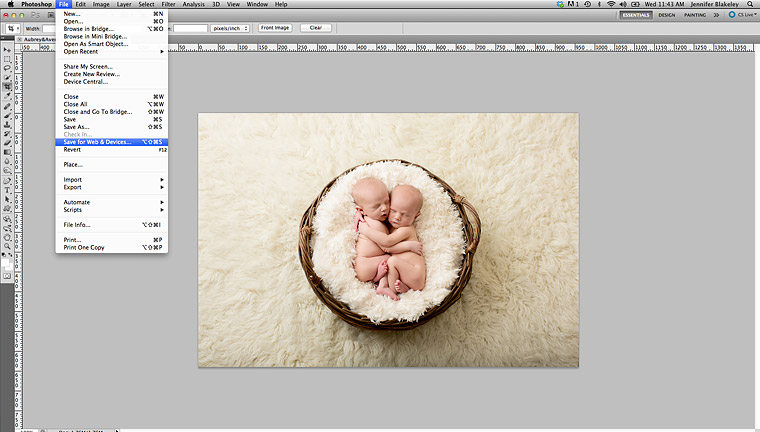
6) Click File > Safe for Web & Devices
7) Set quality at 100%
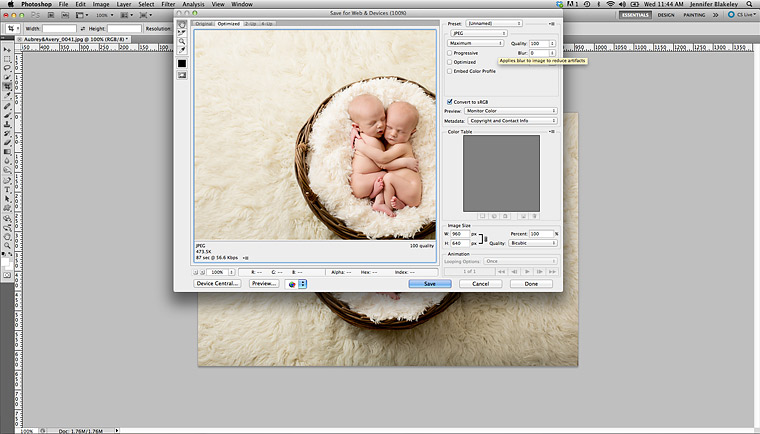
8) Click "Save" and save to location of your choice.